
Bright sites, made dark
Backgrounds, text, borders and buttons are recoloured from the page's own styles, so the result looks designed, not inverted. Photos and video keep their colours.

Dark & Light Mode for Safari
Darc themes websites in Safari in both directions. Bright sites get a real dark theme, and dark-only sites can go light. Every site, the way you want it.

Free to start. iPhone, iPad and Mac.

Both directions
Most dark mode extensions only go one way. Darc builds a real dark theme for bright pages, and with Darc Forever it also lightens sites that only come in dark.
Backgrounds, text, borders and buttons are recoloured from the page's own styles, so the result looks designed, not inverted. Photos and video keep their colours.
Some sites never offer a light version. Darc can give them one, for reading in daylight or on a sunny train. Part of Darc Forever.
How it works
Turn on the extension in Safari and pick a mode. Darc checks each page as it opens and only themes the ones that need it.
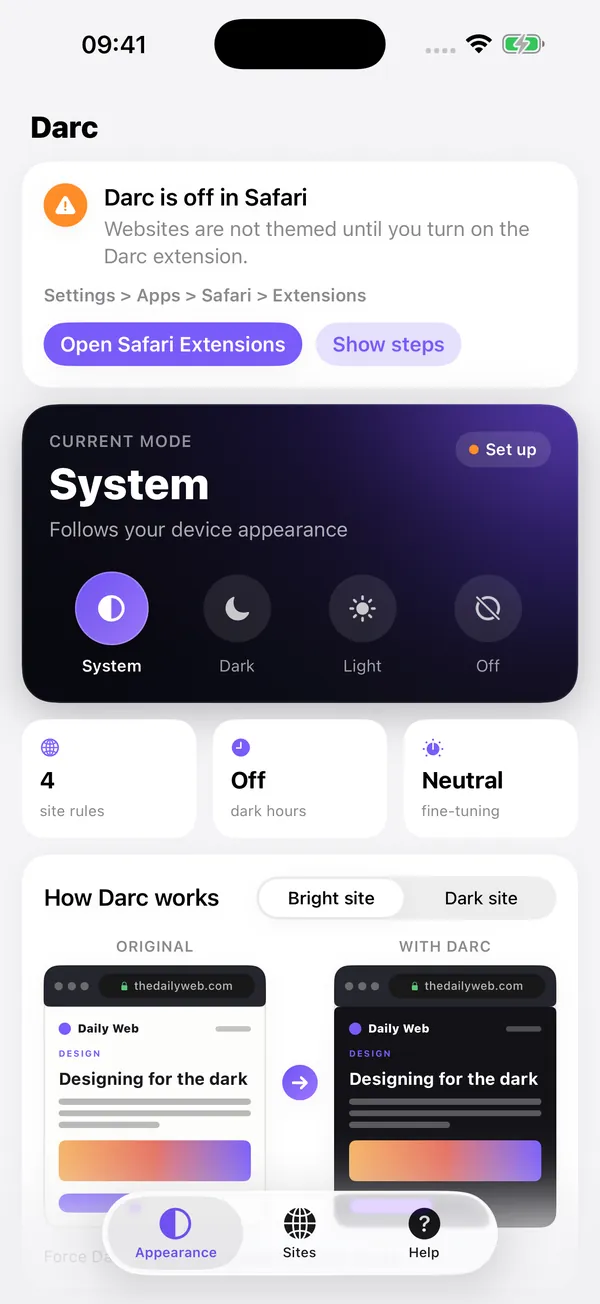
System follows your device appearance. Dark themes every bright site. Off leaves the web untouched.
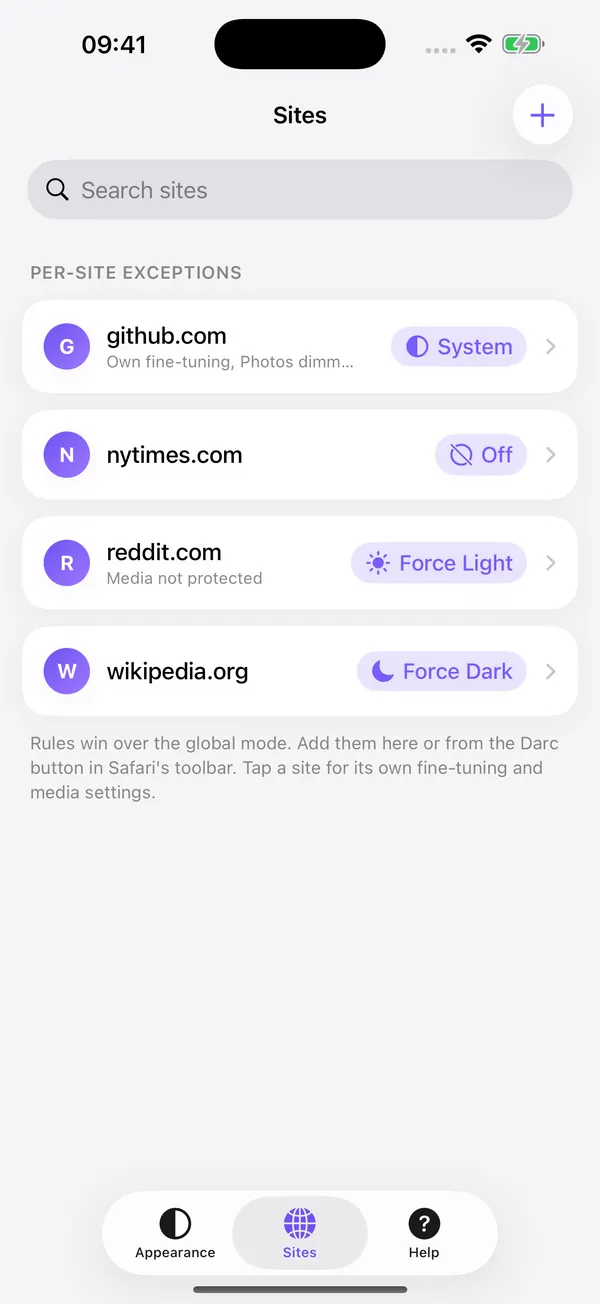
Keep one site dark, another light, a third untouched. Add a rule from the app or straight from Darc's button in Safari.
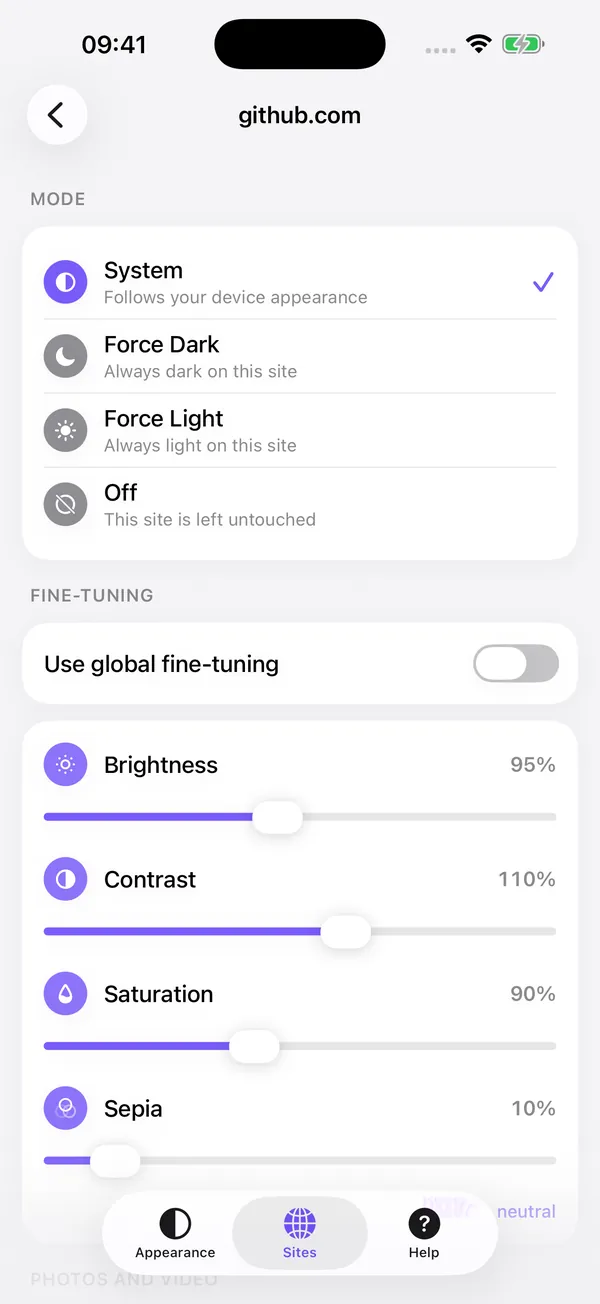
Brightness, contrast, saturation and sepia, set for every site at once or for a single one.
Built carefully
Images, video and map tiles keep their original colours, so a dark theme never turns a photo into a negative.
Card fields, Apple Pay, PayPal and Stripe forms, and CAPTCHA checks are left exactly as the site made them.
If theming goes wrong on a page, for example text that becomes hard to read, Darc removes everything it added and the page goes back to how the site built it.
Mail, docs and other single-page apps change their content without reloading. Darc follows along and themes new content as it appears.
Pick the hours when the web should be dark, and Darc switches on its own every evening.
Pure black backgrounds that look deep on OLED screens and save battery.
About that Safari warning
When you turn Darc on, Safari warns that the extension can read and alter web pages, including passwords and other sensitive details. Safari shows that message for every extension that changes how pages look, because it is technically true: to restyle a page, Darc has to read its colours.
What Darc does with that access is small and stays on your device.
Reads a page's styles. Changes its colours. That is all.
The work happens inside Safari on your iPhone, iPad or Mac.
The full details are in the privacy policy.

Free, then yours forever
Darc is free to use. Darc Forever is a single purchase that unlocks everything else. No subscription, no ads.
Everything you need for dark mode
One-time purchase
One purchase covers iPhone, iPad and Mac with the same Apple Account. The price is shown in the App Store in your currency.
iPhone, iPad and Mac
Darc runs in Safari on iPhone, iPad and Mac. Your settings and site rules follow you through iCloud, so a site you set to dark on your phone is dark on your Mac too.

Questions
To restyle a page, Darc has to read its colours, so Safari asks for access on each site where it runs. Everything happens on your device. Page content and browsing history never leave Safari, and Darc has no servers to send them to.
Safari follows each website's own design. If a site has no dark version, it stays bright. Darc builds a dark theme for sites that do not have one, and with Darc Forever it builds a light theme for sites that only come in dark.
It follows your device appearance. When your iPhone, iPad or Mac switches to Dark Mode, bright sites turn dark. In light appearance, sites keep their own look. With Darc Forever, dark-only sites are lightened as well, and you can set dark hours instead.
Tap Darc's button in Safari's toolbar. Reset site removes that site's rule so it follows your global settings again, Disable for this site leaves it untouched from then on, and Report issue opens an email to us with the site's name so we can look at it. More on the support page.
Safari paints its own white placeholder before a page exists, and no extension can restyle it. The page itself is themed from its first frame.
No. Darc is free to use, and Darc Forever is a one-time purchase. There are no ads either way.
No. One purchase unlocks Darc Forever on iPhone, iPad and Mac signed in with the same Apple Account. Use Restore Purchases in the app's Help tab if it does not show up right away.
Free on the App Store for iPhone, iPad and Mac.